
Selling on Amazon can be a game-changer for entrepreneurs, but managing inventory, packing boxes, and handling shipping can quickly become a full-time job. This is where Fulfillment by Amazon (FBA) comes in. It’s a service designed to take the logistical heavy lifting off your plate so you can focus on growing your business.
If you’ve heard the term “Amazon FBA” but aren’t entirely sure what it involves or if it’s the right move for you, you’ve come to the right place. This guide will explain exactly what Amazon FBA is, how it works, and its key advantages and disadvantages. By the end, you’ll have a clear understanding of whether this popular fulfillment model aligns with your business goals.
We’ll cover everything from the step-by-step process of getting started to the associated costs and potential pitfalls. With this information, you can make a confident and informed decision about leveraging Amazon’s powerful logistics network to scale your e-commerce venture.
Table of Contents
What is Amazon FBA?
Fulfillment by Amazon (FBA) is a service that allows sellers to outsource their order fulfillment to Amazon. Instead of storing, picking, packing, and shipping products yourself, you send your inventory to Amazon’s massive fulfillment centers. When a customer places an order for your product on Amazon.com, Amazon’s team handles the entire process—from processing the payment to delivering the package to the customer’s door.
Beyond shipping, FBA also manages customer service and returns for these orders. This integration makes your products eligible for Amazon Prime’s free two-day shipping, a major draw for millions of shoppers. Essentially, FBA lets you tap into Amazon’s world-class logistics infrastructure, giving even small businesses the operational power of an e-commerce giant.
How Does Amazon FBA Work?
Getting started with Amazon FBA involves a straightforward, multi-step process. Here’s a breakdown of how it works from start to finish.
Step 1: Set Up Your Amazon Seller Account
Before you can use FBA, you need to have an Amazon seller account. During registration, you’ll have the option to add FBA to your account. If you already have an account, you can add FBA at any time through your Seller Central dashboard.
Step 2: Create Your Product Listings
Next, you need to list your products on Amazon. You can either add your products to the existing Amazon catalog if they are already sold on the site, or create new listings if your products are unique. It’s crucial to specify in your Seller Central account that your inventory will be fulfilled by Amazon for each product you intend to sell via FBA.
Step 3: Prepare Your Products
Amazon has specific requirements for how products must be prepared and labeled before they are sent to a fulfillment center. This includes using the correct barcodes (like FNSKU labels provided by Amazon), ensuring proper packaging to prevent damage, and adhering to any specific rules for your product category (e.g., poly-bagging for liquids or apparel). Careful preparation is vital to avoid delays or rejection of your shipment.
Step 4: Ship Your Products to an Amazon Fulfillment Center
Once your products are prepped, you’ll create a shipping plan in your Seller Central account. Amazon’s system will tell you which fulfillment center(s) to send your inventory to. Amazon often directs sellers to ship products to multiple centers to distribute inventory across their network, enabling faster delivery to customers nationwide. You can take advantage of Amazon’s discounted shipping rates with partnered carriers like UPS to send your inventory.
Step 5: Amazon Handles the Rest
After your inventory is received and checked in at the fulfillment center, your listings will become active with the Prime badge. From this point on, Amazon takes over. When a customer buys your product, Amazon’s automated systems pick the item from the shelf, pack it in an Amazon-branded box, and ship it to the customer. They also handle payment processing, provide tracking information, and manage any customer service inquiries or returns related to that order.
The Pros of Using Amazon FBA
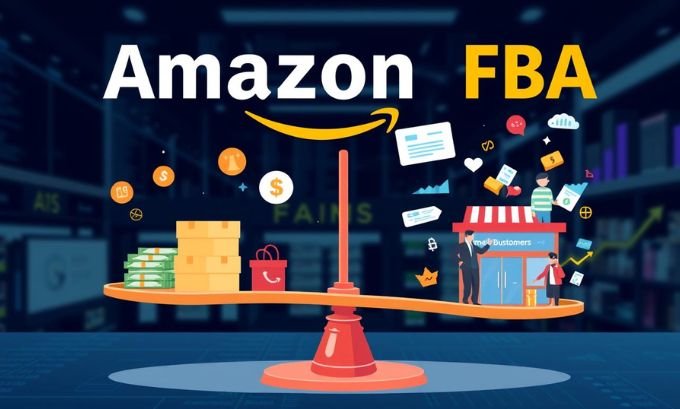
Opting for FBA offers several compelling advantages that can significantly boost an e-commerce business.
Access to Amazon Prime Members
One of the biggest benefits is making your products eligible for Amazon Prime. Prime members are famously loyal and spend significantly more than non-Prime customers. The promise of free, fast shipping is a powerful conversion driver, and having the Prime badge on your listing can dramatically increase your sales volume.
Effortless Shipping and Logistics
Fulfillment is one of the most time-consuming aspects of running an e-commerce business. FBA removes this burden entirely. You no longer have to worry about storing inventory, packing orders, or making trips to the post office. This frees up your time to focus on more strategic activities like product sourcing, marketing, and business development.
Trusted Customer Service and Returns Management
Amazon’s customer service is available 24/7. When you use FBA, Amazon handles all customer inquiries, complaints, and returns on your behalf. This not only saves you time but also ensures your customers receive professional and consistent support, which can enhance your brand’s reputation.
Potential for Higher Search Rankings
While Amazon’s algorithm is complex, using FBA is widely believed to be a factor in search ranking. FBA products are often favored in search results, giving them greater visibility over products fulfilled by the merchant (FBM). This improved visibility can lead to more traffic and sales.
The Cons of Using Amazon FBA
Despite its many advantages, FBA isn’t without its drawbacks. It’s important to consider these potential challenges before committing.
FBA Fees
Convenience comes at a cost. Amazon charges several fees for the FBA service, including fulfillment fees (per-unit charge for picking, packing, and shipping) and monthly inventory storage fees (based on the volume of your products). If inventory sits too long, you’ll also face long-term storage fees. These costs can eat into your profit margins if not managed carefully.
Loss of Control
When you use FBA, you hand over a significant part of your operation to Amazon. You lose direct control over your inventory, packaging, and the customer experience. This means you can’t add personal touches like custom branding or thank-you notes to your packages.

Strict Product Preparation Requirements
Amazon has stringent rules for how products must be prepped and labeled. Failure to comply can result in your inventory being rejected at the fulfillment center, causing delays and additional costs. This preparation process can be time-consuming and tedious, especially for new sellers.
Inventory Management Challenges
Managing your inventory levels can be tricky with FBA. Sending too much stock can lead to high storage fees, while sending too little can result in stockouts and lost sales. You need to accurately forecast demand and keep a close eye on your inventory levels in Seller Central to avoid these issues.
Take the Next Step
Amazon FBA is a powerful tool that can help e-commerce sellers scale their businesses by leveraging Amazon’s unparalleled logistics network. It offers significant advantages, such as access to Prime customers and hands-off fulfillment, which can lead to increased sales and more free time for you. However, it’s essential to weigh these benefits against the costs and potential challenges, including fees and strict preparation requirements.
By carefully analyzing your products, profit margins, and business goals, you can determine if FBA is the right choice for your brand. For many, the strategic advantages far outweigh the drawbacks, making it a cornerstone of their success on the world’s largest online marketplace.
