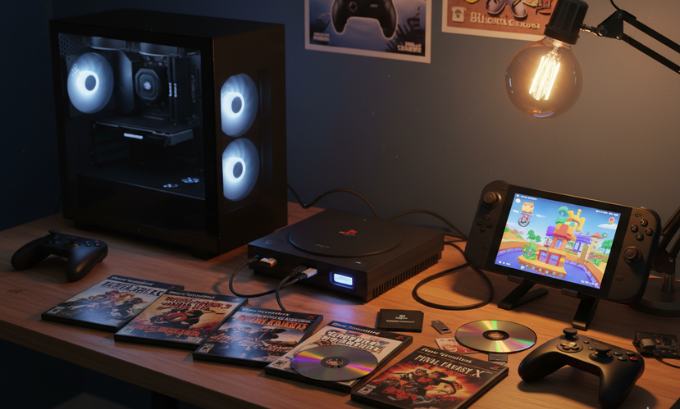
Diving into the world of PlayStation 2 emulation feels like unearthing a time capsule. The promise of replaying timeless classics on modern hardware is exciting, but there’s a crucial first step that often trips people up: the PS2 BIOS download. It’s a term that sounds technical and a little intimidating, but getting it right is the difference between a flawless gaming session and a frustrating dead end.
This guide is here to demystify the entire process. We’re not just going to tell you what a PCSX2 BIOS is; we’ll show you why doing it the right way matters. Forget the sketchy corners of the internet—we’ll walk you through the legal, safe, and surprisingly rewarding process of setting up the PCSX2 emulator for a perfect, nostalgia-fueled experience.
Table of Contents
What’s the Big Deal with the PS2 BIOS Anyway?
So, what exactly is this BIOS file everyone talks about? In simple terms, it’s the soul of the PlayStation 2. It’s the low-level software that lived on the console’s motherboard, telling it how to start up, manage hardware, and launch games. The popular emulator PCSX2 is a brilliant piece of engineering that replicates the PS2 hardware, but without the BIOS, it’s just an empty shell.
The PCSX2 BIOS is the firmware from a real PlayStation 2 console that you need for the PCSX2 emulator to work. For legal reasons, you must obtain it from a console you physically own, as the BIOS itself is copyrighted software.
Why You Can’t Just Download It
This is where things get serious. A quick search for “ps2 bios download” will flood your screen with tempting links. It seems easy, but here’s the catch: those files are distributed illegally. Sony owns the copyright to the PS2’s BIOS, and sharing it online is a form of piracy. That’s why the developers of PCSX2 will never, ever bundle it with their software.
But the legal angle is only half the story. The practical risks are just as significant. Files from unverified sources are often:
- Infected with Malware: Bundling viruses or spyware with popular downloads is a classic trick.
- Corrupted or Incomplete: A bad file can lead to endless crashes, graphical glitches, or games that simply refuse to load.
- Modified or Fake: Some files are altered in ways that can cause unpredictable behavior, turning your gaming session into a troubleshooting nightmare.
Think of it like this: you wouldn’t build a house on a shaky foundation. In the world of emulation, a clean, legally obtained BIOS is your solid foundation for a stable and secure setup.
Getting Your Hands Dirty: The Right Way to Get a PS2 BIOS
Alright, so if downloading is out, what’s the right way? The answer is to “dump” it, which is a fancy term for extracting the files from your very own PlayStation 2. It might sound like a job for a computer wizard, but it’s more straightforward than you think.
To legally get your BIOS, you need a real PlayStation 2, a USB drive, and a homebrew tool like BIOS Dumper. You’ll run this tool on your console to copy the necessary system files to the USB drive, which you then transfer to your computer for PCSX2.
A Step-by-Step Guide for the Modern Gamer
Let’s break down the process into manageable steps. Don’t worry, we’ll keep it simple.
Step 1: Gear Up
First, you’ll need a few things:
- A working PlayStation 2 (any model works, from the chunky original to the slimline).
- A method to run homebrew software. The most common way is with a Free McBoot memory card, which you can find pre-made online.
- A basic USB flash drive formatted to FAT32.
- The BIOS Dumper application. You can find this on reputable emulation community sites. Often, you’ll use a file manager like uLaunchELF to run it.
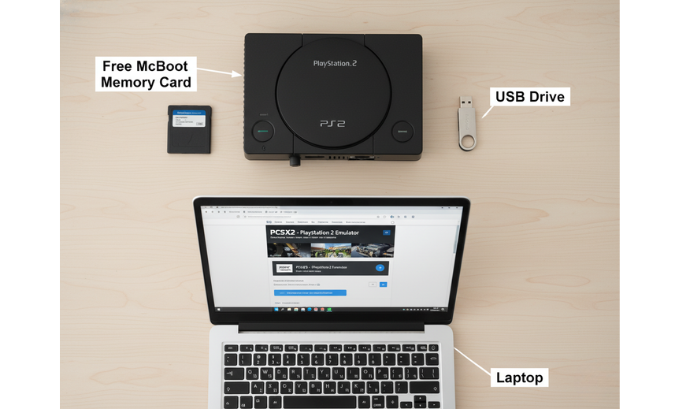
Step 2: The Extraction
- Put the BIOS Dumper program on your USB drive.
- Plug the Free McBoot memory card and the USB drive into your PlayStation 2.
- Power on your console. The Free McBoot menu should appear. From here, launch uLaunchELF (it usually looks like a simple file browser).
- Navigate to your USB drive (mass:/) and run the BIOS Dumper application.
- The tool does the rest. It will read the essential files from your console’s hardware and save them directly to your USB drive. This usually only takes a minute or two.
- When it’s done, you’ll have a collection of files on your USB stick. These are your precious BIOS files!
Step 3: Setting Up PCSX2
- If you haven’t already, download the latest version of PCSX2 from its official site, pcsx2.net.
- Install it. The installer will create a folder structure, usually in your “Documents” folder. Look for a path like
Documents\PCSX2\bios. This is where the magic happens. - Copy the entire set of files from your USB drive into that “bios” folder.
- Launch PCSX2. A first-time setup wizard will pop up.
- When it asks for the BIOS, it should automatically detect the files you just added. You’ll see a list showing the version, like USA, Europe (PAL), or Japan (NTSC-J).
- Select the BIOS from the list (usually the one matching your console’s region, like NTSC-U for North America) and finish the setup.
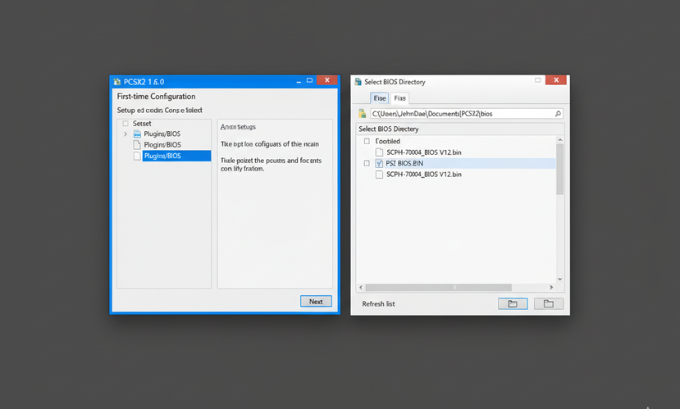
And that’s it! You’ve successfully and legally prepared PCSX2 for launch.
Step 4: The Trust-but-Verify Step
For extra peace of mind, you can perform a Checksum Verification. This sounds complicated, but it’s just a way to confirm your files weren’t corrupted during the transfer. You use a simple tool to generate a unique code (a hash) from your BIOS file and compare it to a list of known-good codes online. If they match, your file is 100% perfect.
A Real-World Story: Taking PS2 Classics on the Go with a Steam Deck
Let’s put this into perspective. My friend Sarah, a huge fan of retro JRPGs, recently got a Steam Deck. Her goal was to play her old collection of PS2 games on it, but she was rightfully skeptical about searching for a “ps2 bios download” and risking her new device.
Instead, she dug her old silver slim PS2 out of the closet. Following a guide, she used BIOS Dumper to extract her files. The whole process took her less than 30 minutes.
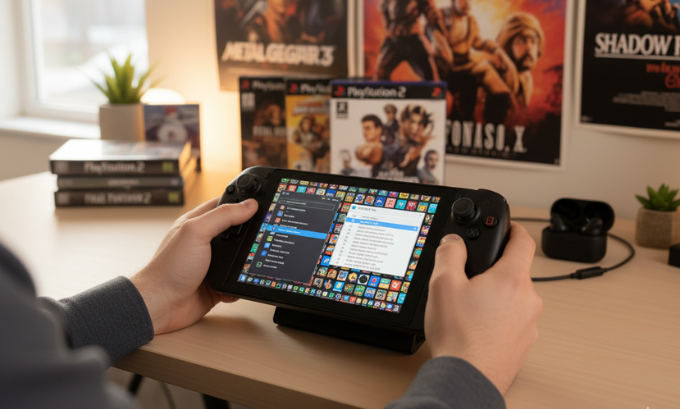
Then, on her Steam Deck, she switched to Desktop Mode and used a tool called EmuDeck to manage her emulators. EmuDeck sets up PCSX2 and all the right folders automatically. She simply copied her dumped BIOS files into the Emulation/bios folder. For a slick interface, she also set up Emulation Station, which acts as a beautiful, unified library for all her retro games.
The result? The first time she launched a game, the familiar PS2 boot screen appeared. No errors, no viruses, just pure, unadulterated nostalgia. It was a small investment of time for a completely secure and flawless setup.
What I Appreciate About the “Right” PS2 BIOS Method
Going through the proper channels isn’t just about following rules; it brings some tangible benefits that make the effort worthwhile.
- Total Peace of Mind: There’s a quiet confidence that comes from knowing your setup is fully legal and malware-free. You can just focus on gaming.
- Rock-Solid Stability: An authentic BIOS eliminates a whole category of potential problems. Many of the crashes and bugs people complain about online stem from bad BIOS files.
- It Honors the Community: The PCSX2 team provides incredible software for free. By obtaining your BIOS legally, you respect their work and help ensure the project can continue without legal headaches.
- You Learn Something: The process demystifies emulation a bit. You gain a better understanding of how the software works, which makes you more capable of solving other issues down the road.
Looking to complete your retro gaming setup? TokyoMart.Store offers classic PlayStation accessories and collectibles to level up your nostalgia trip.
The Not-So-Great Parts
Of course, it’s not a perfect system. There are some genuine hurdles that can make the legal method feel like a chore.
- The Hardware Requirement: The biggest obstacle is needing a PlayStation 2. If you don’t have one, tracking one down just for the BIOS can feel like an expensive extra step.
- The “Techy” Factor: While tools like BIOS Dumper are user-friendly, the idea of running homebrew software can be daunting if you’re not used to tinkering.
- It’s Not Instant: Let’s be honest, it takes more time than clicking a download link. For those seeking instant gratification, the temptation of a risky shortcut is real.
These pain points highlight the ongoing challenge in the emulation scene: balancing accessibility with the legal and ethical responsibilities of preserving gaming history.
Thinking of starting your own gaming blog or tech guide website? LinkLuminous.com provides premium website templates and tools tailored for content creators and developers.
Comparison: The Legal Dump vs. The Shady Download
| Aspect | Legal BIOS (Self-Dumped) | Illegal BIOS (Web Download) |
|---|---|---|
| Source | Your own PlayStation 2 console. | An anonymous, unverified website. |
| Legality | Fully legal and ethical. | Copyright infringement. |
| Safety | 100% safe. No risk of malware. | High risk of viruses and spyware. |
| Integrity | Authentic, complete, and verifiable with Checksum Verification. | Often corrupted, incomplete, or modified. |
| Stability | The foundation for a stable, crash-free experience. | A common source of errors, glitches, and save-game issues. |
| Community View | The only method endorsed by emulator developers. | Actively discouraged and a red flag for troubleshooting help. |
Level Up Your Emulation: Tweaks, Plugins, and More
With your BIOS properly set up, the real fun begins. PCSX2 is packed with features that can make your old games look and play better than ever before.
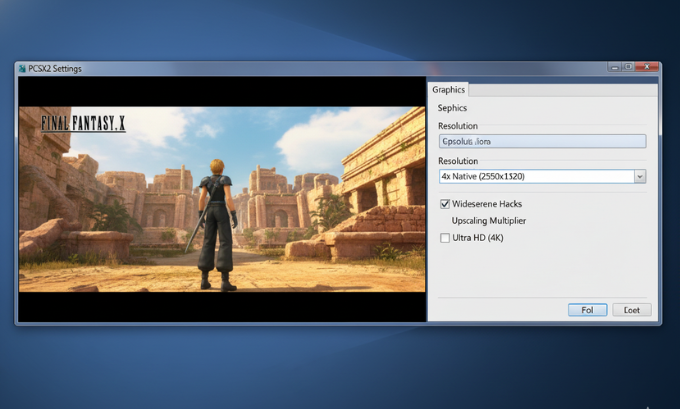
Performance and Visuals
Dive into the settings and you’ll find options to dramatically improve graphics. You can boost the internal resolution for crisp, HD visuals that put the original console to shame. For those with beefy PCs, performance-enhancing Speedhacks like “MTVU” can smooth out frame rates in demanding games. A word of caution: while tempting, it’s best to stick to the “safe” presets for Speedhacks unless you enjoy experimenting, as aggressive settings can sometimes break games.
Modern Comforts
Beyond graphics, PCSX2 offers quality-of-life improvements that are hard to live without once you’ve tried them.
- Save States: Save your game at any moment, not just at designated save points.
- Widescreen Hacks: Force many classic 4:3 games into a modern 16:9 aspect ratio.
- Custom Controller Support: Use any controller you like, from an Xbox pad to a DualSense, with full customization.
If you want to learn more about PS2 BIOS download, feel free to visit these websites techbullion.in, mumbaitimes.net, mindjournal.co or bangalorenews.net
Answering Your Burning Questions (FAQ)
Here are some quick answers to the most common questions people have about the ps2 bios download topic.
1. Is it ever okay to download a PS2 BIOS file?
No. Legally speaking, downloading copyrighted software you don’t own is against the law. The only accepted method in the emulation community is to dump it from your own console.
2. Why does PCSX2 say “BIOS is missing”?
This error means PCSX2 can’t find the necessary files. The most common reasons are that the files are in the wrong folder or you forgot to copy them over after installing the emulator. Double-check they are in the Documents\PCSX2\bios directory.
3. Do I need a different BIOS for each region (NTSC-U, PAL, NTSC-J)?
While a single BIOS can often play games from other regions, it’s not guaranteed. For 100% compatibility, it’s best to use a BIOS that matches the region of your game disc or file.
4. Can a bad BIOS file actually harm my PC?
The BIOS file itself won’t, but the package it comes in from a shady website certainly can. Executable files disguised as a ps2 bios download are a common way to distribute malware.
5. Does a newer BIOS version make games run faster?
No. The PCSX2 developers have confirmed that different BIOS versions have no impact on emulation speed or performance. The differences are minor and relate to things fixed on the original hardware.
6. Can I use my dumped BIOS on both my PC and my Steam Deck?
Absolutely! Once you have your legally dumped files, you can use them on any device that runs PCSX2. They are your personal, portable key to PS2 emulation.
7. What’s the real difference between NTSC and PAL?
These are old TV standards. NTSC (NTSC-U for North America, NTSC-J for Japan) runs at 60Hz, while PAL (Europe, Australia) runs at 50Hz. This can affect the speed of some games if the emulator isn’t configured correctly.
Conclusion
The journey to a perfect ps2 bios download is less about finding a file and more about adopting the right process. By taking the time to legally dump the BIOS from your own PlayStation 2, you build a foundation of safety, legality, and stability that a risky online download can never match. It’s a small investment of effort that pays huge dividends in peace of mind and flawless performance.
Now that you’re armed with this knowledge, you can confidently set up PCSX2 and unlock a universe of gaming history. The golden age of the PlayStation 2 is waiting for you, looking better than ever.
Author Bio
Alex Carter is a tech writer and retro gaming aficionado with over a decade of experience navigating the ins and outs of the emulation scene. He is passionate about preserving gaming history the right way and empowering users to build setups that are both powerful and ethical. When he’s not tinkering with emulators, you can find him hunting for hidden gems in classic game libraries.
