

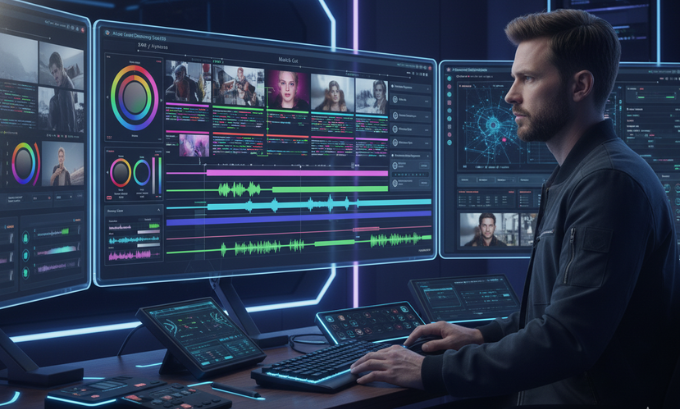
Video editing is no longer just a technical task—it’s an art form. Whether you are creating content for social media, YouTube, or corporate videos, knowing the right tools and techniques is crucial. Beginners can explore best video editing software for starters, while pros might check out the latest consumer electronics trends to stay updated.
From improving pacing to mastering audio balance, this guide offers actionable video editing tips for all skill levels.
Table of Contents
Why Video Editing Skills Are Essential in 2025
Videos dominate online engagement. Studies indicate that by 2025, over 85% of digital traffic will come from video content. Platforms like Instagram, TikTok, and YouTube reward well-edited videos with higher reach (Meta AI insights).
AI-powered tools such as Descript and its co-editor Underlord simplify tasks like adding captions, correcting audio, and managing B-roll (Mind Journal AI tools), enabling faster production and creative focus.
Key Video Editing Techniques for 2025
1. Organize Footage from the Start
Efficient organization in your project folder or software like Descript reduces workflow issues. Sort clips by scenes, subjects, or camera angles for smooth editing.
2. Use Match Cuts to Improve Continuity
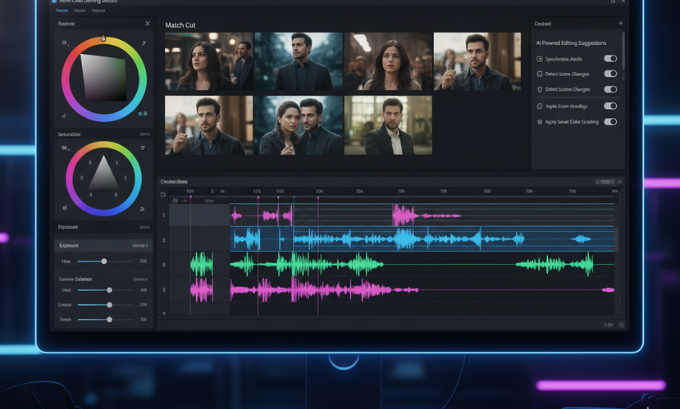
A match cut connects visually similar shots, enhancing flow and storytelling. This simple technique elevates content for social media or cinematic projects.
3. Maintain Consistent Room Tone
Room tone ensures background audio stays consistent and prevents awkward silences. Devices like Zoom H1n record clean sound for professional-quality audio (Zoom H1n guide).
4. Incorporate Stock Footage Creatively
Stock footage can fill gaps, improve production value, or add cinematic flair to your project.
5. Harness AI Editing Tools
AI-assisted software like Descript and Underlord automates repetitive tasks, such as adding subtitles, adjusting audio, and inserting transitions (AI brand strategy guide).
6. Focus on Color Grading
Use DaVinci Resolve to adjust colors and set the tone. Beginners can experiment with iMovie or Final Cut Pro X presets.
7. Perfect Video Pacing
Keep your cuts tight and engaging. Remove unnecessary footage to maintain viewers’ attention.
8. Balance Audio and Visuals
Mix dialogue, ambient sound, and music properly using software like Adobe Premiere Pro to create professional results.
Top Video Editing Software in 2025
| Software | Purpose | Price | AI Features | Platforms |
|---|---|---|---|---|
| Adobe Premiere Pro | Professional editing | Paid | Limited AI | Windows, Mac |
| DaVinci Resolve | Color grading & editing | Free/Paid | Basic AI | Windows, Mac, Linux |
| Final Cut Pro X | Apple-focused pros | Paid | AI-assisted transitions | Mac |
| Descript | Audio/video editing & transcription | Free/Paid | Underlord AI | Windows, Mac |
| iMovie | Simple editing for beginners | Free | Minimal | Mac, iOS |
| Blender | 3D animation + video editing | Free | Limited AI | Windows, Mac, Linux |
For a detailed guide on video editing software for beginners, explore this resource.
AI Tools Changing Video Production
AI is transforming editing workflows:
- Descript & Underlord: Auto-generates captions, fixes audio, and inserts transitions.
- Meta AI: Recommends trending edits for social media (Meta AI Messenger guide).
- AI tools save hours on repetitive tasks while allowing creative freedom (Mind Journal AI guide).
Practical Workflow Example
A typical editing process involves organizing clips, creating a rough cut in Adobe Premiere Pro, and applying color grading in DaVinci Resolve. Audio is refined using Descript, with room tone adjustments and AI-assisted captioning (AI tools reference).
Integrating stock footage and refining pacing ensures professional-grade output without excessive reshoots.
Software Strengths and Limitations
Adobe Premiere Pro
- Strengths: Industry standard, robust features
- Weaknesses: Expensive, steep learning curve
DaVinci Resolve
- Strengths: Superior color grading, free version
- Weaknesses: Resource-heavy
Final Cut Pro X
- Strengths: Fast on Mac, professional integration
- Weaknesses: Mac-only
Descript
- Strengths: AI-powered, collaborative
- Weaknesses: Limited advanced effects
iMovie
- Strengths: Beginner-friendly, free
- Weaknesses: Limited for professional projects
Career Opportunities in Video Editing
Video editors can explore:
- Freelance video production
- Social media content creation
- Corporate videos and ads
- AI-powered video editing services (AI engineer jobs)
Combining video editing with coding or digital marketing skills (coding courses) can unlock more opportunities.
Frequently Asked Questions (FAQ)
1. Which software is best for beginners?
iMovie, Blender, and Descript simplify the learning curve (beginner guide).
2. Can AI replace human editors?
AI assists but does not replace human creativity (AI tools guide).
3. How do I ensure clean audio?
Record using Zoom H1n and adjust room tone in your editing software.
4. Best software for color grading?
DaVinci Resolve is the industry standard.
5. Are free tools viable for editing?
Yes, tools like Blender and iMovie are capable for beginners.
6. What is a match cut?
A match cut connects two visually similar shots for seamless flow.
7. Where to get stock footage?
Many online platforms provide royalty-free clips to enhance projects.
Conclusion
Mastering video editing in 2025 requires the right blend of creativity, technical skill, and software proficiency. Focus on match cuts, room tone, AI-assisted editing, and pacing to produce professional content.
For deeper insights on AI and video editing, visit Mind Journal AI tools or explore Liteblogs beginner guide. Start experimenting today and build a compelling video portfolio.
