

Video editing used to be a long, tedious process that required years of experience and expensive software. Today, AI video editing is changing the game, allowing creators and businesses to produce high-quality videos faster than ever. This guide will walk you through the top generative AI tools, their features, and how they can revolutionize your content creation and marketing workflow.
The rise of artificial intelligence has introduced powerful tools that automate everything from cutting silent parts to generating entire videos from a single text prompt. If you’re interested in how to leverage these innovations, you might find valuable insights in discussions about Tech Mahindra University and its focus on future technologies. This shift is not just about speed; it’s about making video creation more accessible to everyone, regardless of their technical skill. To explore more about the broader impact of AI, resources like what is meta ai offer a great starting point.
Table of Contents
What is AI Video Editing?
AI video editing uses artificial intelligence and machine learning algorithms to automate and enhance the video creation process. Instead of manually performing tasks like cutting clips, correcting color, or adding subtitles, AI-powered tools can do it for you in seconds. These platforms analyze your footage, understand context, and apply edits that would normally take a human editor hours to complete.
The goal is to streamline workflows, reduce production time, and empower creators to focus on the creative aspects of storytelling. As digital marketing becomes more video-centric, these tools are becoming essential for businesses looking to scale their content output.
Personal Experience with AI Video Editing
As a content marketer, my team was once bogged down by the sheer volume of video content we needed to produce. We were creating customer testimonials, social media clips, and product tutorials, and our small team of editors couldn’t keep up. The turnaround time for a simple two-minute video was nearly a week.
We decided to experiment with AI video editing tools. Our first test was with Opus Clip to repurpose a long webinar into short, engaging social media clips. The tool automatically identified the most compelling moments, reframed them for vertical viewing, and added captions. What used to take half a day was now done in under 15 minutes. This success led us to explore other platforms like Descript for text-based editing, which allowed our content writers to edit videos as easily as they would a Google Doc. This transition not only cut our production time by over 70% but also democratized video creation across our team, boosting our overall content creation and marketing efforts.
Top AI Video Editing Tools for 2024
The market is filled with innovative generative AI tools that cater to different needs. Here’s a breakdown of some of the best platforms available today.
1. Filmora AI
Wondershare Filmora has integrated powerful AI features into its already popular video editor, making it a top choice for both beginners and professionals. It simplifies complex editing tasks with intuitive AI-driven tools.
- What I Like / Strengths:
- AI Text-Based Editing: This feature is a game-changer. It transcribes your video, allowing you to edit by simply deleting text from the transcript. It’s incredibly fast and intuitive.
- AI Smart Cutout: Easily remove backgrounds or specific objects from your video without needing a green screen. The precision is impressive for a consumer-grade tool.
- AI Frame Interpolation: Create super smooth slow-motion effects by generating new frames between existing ones.
- All-in-One Platform: It combines traditional timeline editing with powerful AI features, offering the best of both worlds.
- Areas for Improvement:
- The subscription model can be a bit confusing, with different plans for effects and the core software.
- While powerful, some advanced AI features may require a more powerful computer to run smoothly.

2. Descript
Descript revolutionized video editing by making it as simple as editing a text document. It’s a favorite among podcasters and YouTubers for its transcript-based workflow and powerful audio enhancement features.
- What I Like / Strengths:
- Studio Sound: With a single click, this feature removes background noise and enhances voice quality, making recordings sound like they were done in a professional studio.
- Overdub: Create a text-to-speech model of your own voice to correct mistakes or add new words without re-recording.
- AI Underlord (Regenerative AI): Descript’s suite of generative AI tools can help shorten clips, remove retakes, and even generate new content sections. For those new to this, learning how to use Meta AI in Facebook Messenger can be a good introduction to conversational AI interfaces.
- Areas for Improvement:
- The video editing capabilities are less advanced than traditional editors like Filmora or Adobe Premiere Pro.
- Overdub requires some training time to create a realistic voice clone.
3. Invideo AI
Invideo AI takes a unique approach by allowing you to generate entire videos from a single text prompt. You don’t need any of your own footage; just describe the video you want, and Invideo AI creates it for you, complete with stock clips, voiceover, and music.
- What I Like / Strengths:
- AI Faceless Video Generator: Perfect for creating informative content or YouTube automation channels without showing your face. The tool finds relevant stock footage to match your script.
- AI Voiceover Generator: Choose from a variety of natural-sounding AI voices to narrate your video.
- Text-to-Video Workflow: It’s the fastest way to go from an idea to a finished video. You can create a polished video in minutes.
- Areas for Improvement:
- The quality of the final video is heavily dependent on the quality of Invideo’s stock media library.
- Less control over specific edits compared to timeline-based editors.
4. Gling AI
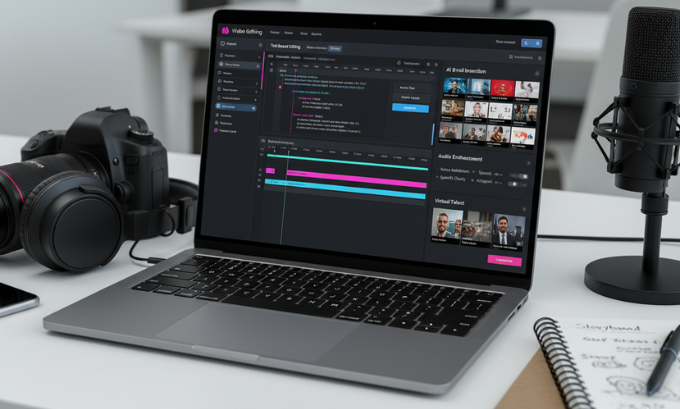
Gling AI is designed specifically for YouTubers. It analyzes long, unedited footage and automatically finds and cuts out silences, bad takes, and other fluff, leaving you with a clean, engaging video.
- What I Like / Strengths:
- AI Text-Based Trimmer: Similar to other tools, it lets you edit via a transcript, but its algorithm is specifically trained to identify parts of a video that are disengaging for viewers.
- AI Title Generator: Gling can suggest catchy, SEO-friendly titles for your YouTube videos based on the content.
- Focus on Efficiency: It’s built for one purpose: to save creators time. It excels at turning raw footage into a polished first draft.
- Areas for Improvement:
- It’s a very specialized tool. You’ll still need another editor for adding graphics, music, and other final touches.
- It’s primarily for “talking head” style videos and may not be as effective for other types of content.
Comparison of Top AI Video Editors
| Feature | Filmora AI | Descript | Invideo AI | Gling AI |
|---|---|---|---|---|
| Best For | All-in-one editing | Podcasters & YouTubers | Quick video generation | Raw footage cleanup |
| Unique Feature | AI Text-Based Editing | Studio Sound & Overdub | Text-to-Video Generation | AI-driven silence removal |
| Learning Curve | Beginner-Intermediate | Beginner | Beginner | Beginner |
| Pricing | Subscription/Perpetual | Subscription | Subscription | Subscription |
For more in-depth reviews and comparisons of video creation tools, you might want to visit resources like the best AI tools for video creation 2025.
The Broader Impact on Content Creation and Marketing
The rise of AI video editing is profoundly impacting content creation and marketing. Businesses can now produce video content at a scale and speed that was previously unimaginable. This allows for more experimentation with different formats, more personalized content for different audience segments, and a more consistent presence on video-heavy platforms like YouTube, TikTok, and Instagram.
For example, a marketing team can use Opus Clip to turn a single webinar into dozens of social media clips, each tailored with an AI-generated hook to grab attention. They can then use Invideo AI to create supplementary informational videos on the same topic, expanding their content cluster and improving their SEO. This level of efficiency gives businesses a significant competitive advantage. The future of AI and its integration into our daily tools is a hot topic, much like the upcoming Apple iPhone 17 Pro Max.
Advanced AI-Powered Video Editing Features
Beyond specific tools, several AI-powered video editing features are becoming standard across the industry. These features automate tedious tasks and enhance the quality of your videos:
- Auto Color Correction and Grading: AI algorithms analyze your footage and automatically adjust colors for a professional, cinematic look.
- Motion Stabilization: Fix shaky footage without expensive gimbals. The AI identifies and smooths out unwanted camera movements.
- Noise Removal: Automatically remove background noise from your audio, ensuring your message is heard clearly.
- AI-Generated B-roll: Tools like Opus Clip can automatically find and insert relevant B-roll footage into your videos, making them more visually engaging.
- Scene Detection: The AI automatically breaks your video into individual scenes, making it easier to navigate and edit long clips.
To stay updated on related technological advancements, checking out articles on cybersecurity trends for 2025 can provide a broader context on how AI is shaping the digital landscape.
The Future of AI in Video Editing
The field of AI video editing is evolving rapidly. We are seeing a move towards fully autonomous video creation. Platforms like D-ID Studio are pushing the boundaries with AI-powered avatar creation, allowing you to generate videos with photorealistic digital humans. This opens up new possibilities for training videos, virtual assistants, and personalized marketing messages. As technology advances, understanding core concepts through resources like the best coding courses becomes even more crucial for creators and developers.
Generative AI will continue to get better at understanding context and nuance, leading to more creative and less formulaic video edits. The line between human and AI-generated content will blur, and the role of the video editor will shift from a technical operator to a creative director, guiding the AI to achieve their vision. For a deeper dive into how AI is being integrated into social platforms, exploring topics like Facebook subscription models can offer useful insights.
Frequently Asked Questions (FAQ)
1. Can AI replace human video editors?
Not entirely. AI is a powerful tool that can automate repetitive and time-consuming tasks, but it still lacks the creative intuition and storytelling ability of a human editor. The future is likely a collaboration, with editors using AI to work faster and focus on high-level creative decisions.
2. Are AI video editing tools good for beginners?
Yes, many AI video editors are designed with beginners in mind. Tools like Descript and Invideo AI have very low learning curves and allow anyone to create professional-looking videos without prior experience. For those looking for foundational skills, starting with the best video editing software for beginners is a great first step.
3. What is the best AI video editor for YouTube?
It depends on your workflow. Gling AI is excellent for quickly cleaning up raw “talking head” footage. Descript is great for its text-based editing and audio features. Filmora AI is a strong all-around choice that combines traditional editing with powerful AI assists.
4. Can AI generate a full video from text?
Yes, platforms like Invideo AI are specifically designed for this. You provide a text prompt or a full script, and the AI generates a complete video with stock footage, voiceover, music, and text overlays.
5. How much do AI video editors cost?
Prices vary widely. Some tools offer free plans with limited features, while others operate on a subscription model, typically ranging from $15 to $50 per month. Some, like Filmora, also offer a one-time perpetual license.
6. Is it safe to use AI video editing tools?
Generally, yes, as long as you stick to reputable platforms. Be mindful of the data you upload and review the privacy policies of any tool you use. Staying informed about online security, for instance by learning how to secure my Facebook account from hackers, is always a good practice.
7. How does AI help with creating short-form videos?
Tools like Opus Clip are perfect for this. They use AI to analyze long-form content (like podcasts or webinars) and automatically extract the most viral-worthy clips. The AI then reframes the video for vertical formats, adds engaging captions, and even gives it a “virality score” to predict its performance.
The Final Cut: Embracing the AI Revolution
AI video editing is no longer a futuristic concept; it’s a practical reality that is transforming content creation and marketing. By automating tedious tasks and providing powerful new creative capabilities, these tools are enabling businesses and creators to produce more high-quality video content than ever before. For those interested in a career in this growing field, exploring education technology jobs can provide a path forward.
Whether you’re a seasoned professional looking to streamline your workflow or a complete beginner taking your first steps into video creation, there is an AI tool that can help you achieve your goals. The key is to start experimenting, find the platforms that best fit your needs, and embrace the collaborative future of human and artificial intelligence in storytelling. If you’re looking for broader SEO tools to complement your video strategy, many resources are available.
Author Bio
This article was written by a professional content strategist with over a decade of experience in digital marketing and SEO. With a deep understanding of how technology shapes content, they have helped numerous brands scale their video marketing efforts by integrating cutting-edge AI tools into their workflows. Their expertise lies in making complex technical topics accessible to a broader business audience.
References
- Filmora AI Features. (2024). Retrieved from Wondershare Filmora.
- Descript Features. (2024). Retrieved from Descript.
- Invideo AI Platform Overview. (2024). Retrieved from Invideo.
- Opus Clip: AI-Powered Video Repurposing. (2024). Retrieved from Opus Clip.
- Gling AI for YouTubers. (2024). Retrieved from Gling.
- D-ID Creative Reality Studio. (2024). Retrieved from D-ID.
- Ponta.in for articles on Tech Mahindra and technology trends.
- TechBullion for insights on working with artificial intelligence.
- GoGoNihon.jp.net for guides on topics like is iBomma legal and safe.
- MindJournal.co for lists of best AI tools 2025.
- MumbaiTimes.net for social media tutorials, such as how to use Meta AI in Facebook Messenger.
- LinkLuminous for web development insights.
- Ponta.in/timesheet-tech-mahindra
- techbullion.in/tech
- mindjournal.co/ai-engineer-jobs/
